One Commit to Update Them All
Keeping deployed AI agents current in on-prem and cloud environments — using the same repository that onboarded them.
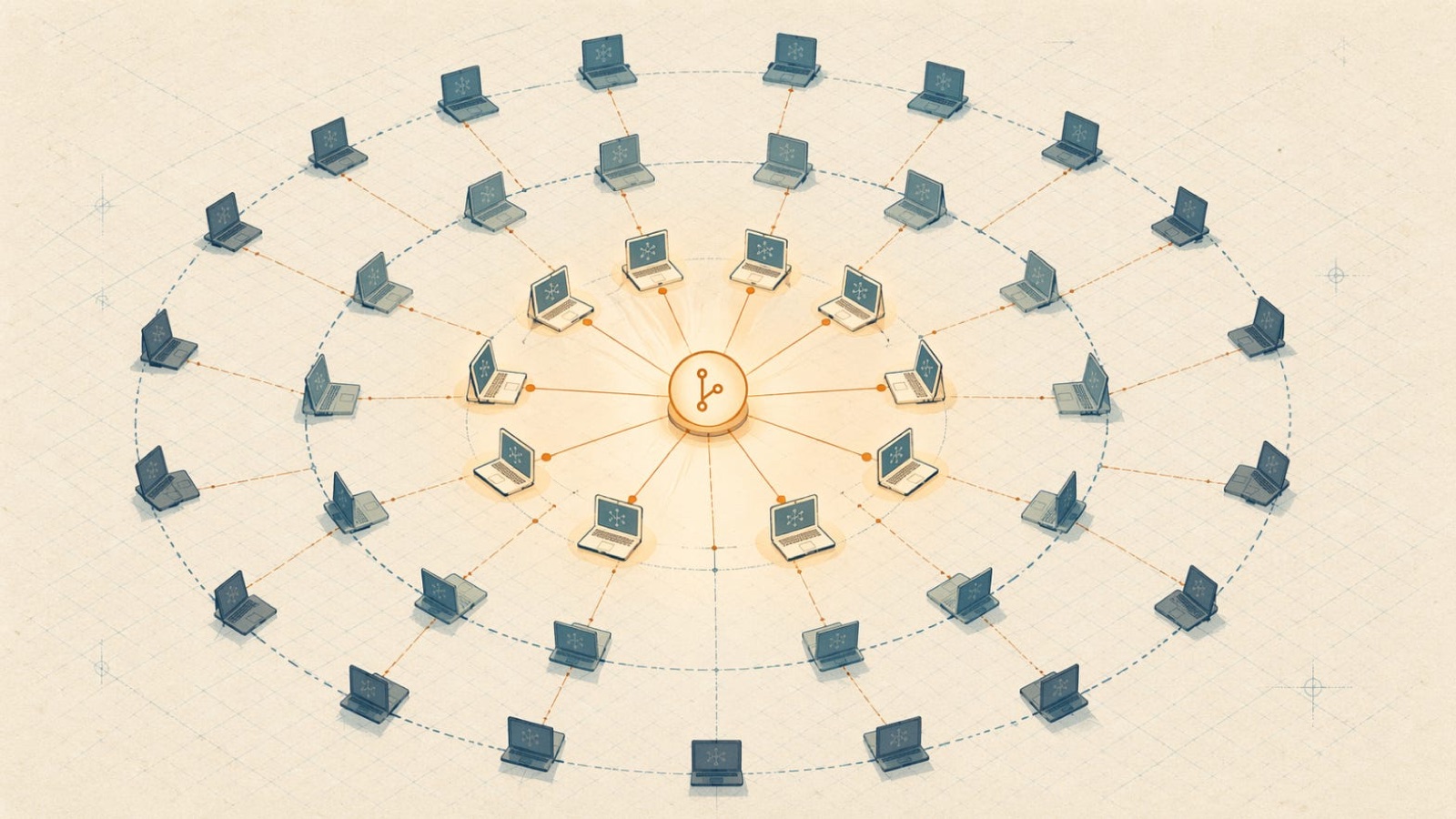
A few weeks ago I wrote about a Git repository that onboards a new hire to AI in sixty seconds (you can read it here). One prompt, one repo, one conversation, a fully configured agent on the other side. That piece ended with a line I’ve been sitting with ever since: push to main, and every new onboarding picks up the changes automatically. True. But also conveniently silent about everyone who onboarded last quarter.
Let’s talk about them.
Dana has been using her Claude Code agent for six months now. In that time the company has shipped three new skills, swapped an MCP server, tightened a data-handling policy, pinned a newer model, retired two tools no one uses anymore, and added a hook that scans for secrets before commits leave the machine. None of that has reached Dana’s laptop. Her agent is a frozen snapshot of what the company looked like on the day she was hired, and with every commit to the config repo, the drift gets worse.
If day-one onboarding is the first problem AI-as-code solves, day-N upgrade is the second. They turn out to be the same problem.
The repo is also the update channel
The mechanism from part one already has everything we need. The repo is the source of truth. The agent already knows how to read a markdown file from the repo and execute every step in it, that’s how setup/onboard.md works. Now add a sibling file , call it updates/refresh.md, that does the upgrade path instead of the greenfield install. Same primitive, different target.
refresh.md is an idempotent reconciliation script. It pulls the repo, diffs installed skills against the desired state, installs what’s new, removes what’s retired, updates MCP server versions, re-pins endpoints that moved, prompts the user for any new credentials, reloads hooks, and bails loudly if the agent runtime is below the repo’s pinned minimum. Run it twice, nothing happens the second time. Run it on a fresh laptop, it behaves like an onboarding script for an existing user (because that’s what it is).
Onboarding is refresh-from-zero. Refresh is onboarding-minus-the-training. Same bones.
The only real new question is when does refresh run?
Trigger #1: Claude’s own scheduler
The most elegant answer is also the one that requires zero additional infrastructure. Claude Code, Claude Desktop, and Claude Cowork all ship with a scheduler that can kick off agent routines on a cron-like cadence. The onboarding script can plant the schedule on day one and forget about it.
Here’s what that looks like in practice. The last step of setup/onboard.md creates a recurring task:
Create a scheduled task named "weekly-refresh" that runs every Monday at 8am.
The task should:
  1. Pull the latest main from the company config repo.
  2. Read and execute updates/refresh.md.
  3. Post a 2-sentence summary of any changes to the user when they next open a chat.
That’s it. From that point forward, Dana’s agent maintains itself. No central update server. No webhook listener. No help-desk ticket. The training-at-first-use pattern from part one becomes training-at-every-upgrade: Dana opens her laptop Monday morning and sees “I updated myself overnight, one new skill, want the 2-minute tour?” She says yes or no.
For power users, a second schedule can pull more aggressively against a faster-moving branch, every night, every few hours, while most of the company stays on weekly. For developers who work in bursts, a scheduled refresh on first session of the day is a nice middle ground. The repo specifies the cadence per ring; users don’t have to think about it.
Trigger #2: the one-prompt refresh
The one-prompt pattern from part one still works, and it’s the right fit when the user wants to pull updates right now, they’ve been offline, they know a change just shipped, or they want to force a sync before a demo. One line, mirror of the onboarding prompt:
Pull the latest main from the company config repo and run updates/refresh.md.
Ask me only for credentials or role-specific confirmations.
This is also the failsafe when scheduled routines get disabled, and it’s the only trigger that makes sense for agents that are used intermittently.
Trigger #3: push for urgent changes
Sometimes Monday is too late. Legal just blocked a vendor. A prompt-injection vulnerability is found in a widely-used skill. A model deprecation hits at noon tomorrow. You don’t want 500 agents running stale code for a week.
For that, you add a push channel. In the simplest form, it’s a company MCP server the agent connects to, which exposes a “check-for-urgent-update” tool. The agent polls it on a short interval. When there’s an urgent refresh, the server returns “refresh now,” the agent runs refresh.md, and returns to normal. In a Slack-centric company, a bot can @mention users with a prompt they click to refresh; in a Teams or Discord shop, same idea.
Push is the most complex of the three, it requires a central service, and it’s the only one that can close SLAs on urgent policy changes. Most deployments end up using a blend: scheduled routines for the baseline, one-prompt for the escape hatch, push for the occasional fire.
Rollout safety: git-flow by default, rings for the enterprise
By default, run your fleet off main. PRs review changes before they land. Rollback is git revert. This is perfectly fine for small teams, and actually superior for most mid-sized ones; the simplicity is a feature, not a shortcoming.
The enterprise upgrade is ring branches. Chrome, Windows, and your favorite Linux distro don’t ship the same bits to every machine on the same day, and neither should your AI fleet. In a config repo, that’s a handful of branches:
canary- volunteers, power users, the platform team. Pulls from here.stable- the default for everyone else.lts- regulated teams, execs, anyone who wants a slower cadence.
Each agent knows its ring, one line in a local config file, or a RING marker in the per-user repo checkout. Scheduled routines target the branch that matches the ring. Promoting a change is just a merge: canary → stable → lts, with soak time between. If a canary change blows up, revert it before it hits stable. If it holds up for 48 hours, merge forward. This is classic release engineering, and it applies to AI fleets exactly as it applies to browsers.
Two extra signals help this work:
Every refresh writes an entry to a lightweight audit log in the repo, “agent X in ring Y updated to commit abc123 at time T.” This gets you the “who’s on the new version yet” dashboard for free. And refresh.md should fail closed: if any step errors, the agent stays on the previous state and surfaces the problem rather than booting into a half-applied update. Fleet-wide partial states are exactly the kind of ambiguity you don’t want in a governance conversation.
What’s in the payload: four layers
Part two covers four kinds of change, each with its own wrinkle.
Prompts, skills, and instructions. The softest layer and the one that already works natively. New CLAUDE.md? git pull and the next session reads it. New skill? refresh.md copies the skill directory into place. This layer is almost trivial to update, the interesting problem isn’t delivery, it’s testing. Before you push a CLAUDE.md rewrite to stable, you want a CI job that runs a panel of eval prompts through the new instructions and confirms the agent still behaves. It’s easy to break tone or undo a hard-won behavior with a careless commit; eval-gate the merge the same way you’d gate any other test-suite merge.
MCP servers, tools, and connectors. MCP configs live in the repo; refresh reconciles them against local state. Install new connectors, uninstall retired ones, re-point endpoints that moved, bump versions. The wrinkle is auth: tokens are per-user, stored locally, and never in the repo. The refresh script knows which connectors need new credentials and prompts interactively on next run, the same flow as the Salesforce step on onboarding day. “Dana, I just installed the billing-tool MCP; open this URL and paste a token.” For MCPs where the token hasn’t changed, the refresh is silent. This is also the layer where retiring a tool matters: when a connector is removed from the repo, refresh.md should actively uninstall it, not just stop using it, because otherwise each agent accumulates orphaned MCPs until someone eventually runs a laptop purge.
Agent binaries and runtime versions. The config repo can’t ship Claude Code itself, but it can gate on it. A step in refresh.md runs claude --version, compares to a RUNTIME_MIN pin in the repo, and either (a) auto-upgrades where the install method supports it — brew upgrade claude-code, npm update -g, the vendor auto-updater — or (b) refuses to continue and tells the user what to do: “Your Claude Code is 2.4.1; this repo requires 2.7.0 or later. Run brew upgrade claude-code and re-run refresh.” For cloud VMs and on-prem fleets the runtime typically ships as a container or OS package on an ops pipeline, so the repo doesn’t drive upgrades, but the pin still matters, because a mismatched agent should fail loudly rather than quietly running stale runtime logic against new instructions. This is the “never skip a version” discipline applied to agents.
Policies, guardrails, and models. The governance layer, and the one place where a stale agent is a security risk, not just a nuisance. Settings that control model choice, rate limits, safety policies, allowed tools, and require-approval flags all live in the repo and all get reloaded by refresh. Two things are worth saying loudly.
First, treat model pinning as part of policy, not part of runtime. The repo should name an alias, say, models/default.md, and every agent resolves to whatever version the alias currently points at. When a model deprecates or a cheaper one becomes available, you change the alias in the repo, not the runtime. Agents pick it up next refresh. This also lets you pin different aliases per ring, canary tries the new model; stable stays on the known-good one; lts lags further behind. The repo becomes your model-lifecycle management layer without any extra tooling.
Second, policy changes should be blocking on load. An agent mid-session shouldn’t carry an old allow-list into the next request; it should reload policies before acting. Combined with the push trigger above, this is how you get fleet-wide policy propagation in an hour instead of a week. When an agent on stale state attempts a call the new policy forbids, it refuses before the call goes out, explains what happened, and invites the user to run refresh now.
Three vignettes
Dana, six months later. It’s Monday. Dana opens her laptop at 9:00. Her scheduled routine fired at 8:00. She sees a short note in the chat panel: “Updated overnight. New skill: executive-summary-generator. Updated MCP: Salesforce client (no action needed). Policy tightened: can’t send customer PII to external tools. Want the 2-minute tour of the new skill?” Dana says yes. Two minutes later she’s used it for a real opportunity she’s closing this week. Nothing broke. Everything got better. She didn’t attend a training.
The CTO’s 3pm policy push. Legal pulls the plug on a third-party analytics vendor. The CTO edits one line in policies/allow-list.md, commits to canary. Soak passes in 30 minutes, the five volunteers on canary are using their agents normally; no red flags. Merge to stable. The company MCP server broadcasts “refresh now” to every connected Claude agent. Within the hour, 500 agents have reloaded. The audit dashboard shows who picked it up and who’s still offline, so IT can follow up with the laptops that slept through it. When an agent on stale state attempts a call to the banned vendor, the policy refuses before the call leaves the machine and tells the user to refresh.
The air-gapped on-prem fleet. A regulated bank runs Claude agents inside a fully air-gapped datacenter. The public config repo is mirrored into an internal Git server through an approved one-way gateway; changes flow inbound, nothing flows outbound. Agents inside the enclave pull from the mirror on schedule. The mirror lags the public repo by whatever the bank’s review cycle requires, sometimes hours, sometimes weeks, but the mechanism is identical. Same onboard.md. Same refresh.md. Same three triggers. Same four layers. The only difference is the topology. Which is the point: the repo is the abstraction; the network is a deployment detail.
Why this matters (and what part one didn’t say)
Part one solved a moment, the day an employee sits down with a blinking cursor. Part two solves a system, an organization whose AI environment changes every week and whose people can’t all drop everything and re-learn it.
The trick is that the fix is almost embarrassingly small. You already have the repo. The agent already reads markdown and executes steps. The scheduler already exists. All you’re adding is a second markdown file, a version pin or two, and the discipline of promoting changes through rings instead of dumping them on main.
That last part is the cultural work. The technical lift is a weekend. The organizational lift is treating your AI configuration the way serious teams treat any other production system, with ring releases, audit logs, eval-gated merges, and a rollback plan. Most companies won’t do this. The ones that do will run AI fleets the way they run browser fleets: quietly, predictably, current.
Part one gave you the first Monday. Part two gives you every Monday after.
First published April 21, 2026 on 42 Insights.
Get new posts by email
One email when something new goes up. Nothing else, ever.
You will get a confirmation email first, and every post has an unsubscribe link. Prefer a reader? Use the RSS feed.